Wednesday, 12 January 2011

PC Maintenance Class 1: Term 2

Welcome back after the Christmas break, and without further ado, we jump straight back into it, from where we left off.

At the end of term we considered the factors involved in whether when a computer get’s to the end of it’s life, do we upgrade or do we replace, but more specifically, would we build it ourselves, or would we buy one ready assembled.  I went over over this for the group, as a refresher exercise, and then we started another topic.

Tonight’s session was based on, being given an old computer to rebuild and get going. Often many people give away their old computers because they have treated themselves. Maybe its for the grandchildren to use, and they want it wiped, and setup again from scratch. The procedure to do this is the same as if you were going to wipe your own computer, and reinstall the Operating System. After months, and years of use, the computer gets bogged down with all the software that is installed and no longer used, so to wipe it, can give the user the opportunity to reassess the actual software needed, and the computer tends to perform much better after such an installation.

The demo computer I used this evening was about 4 years old, and was of Windows XP generation. Therefore this was the operating system to be installed.

The majority of the class tonight, went through the process of getting XP onto the computer, a process which, the more you do, the more second nature it becomes.  In the end, all was well, however the sound card failed to install, which was to be expected. I checked the manufacturers website but there didnt seem to be any download section, but I am assured by the computer’s previous owners, that the software is available for me to collect as they have it on CD.  This proved an important lesson to the group, in ensuring you keep the necessary disks that come with the computer, because just this scenario can occur!

For the remainder of the class, we had a Question and Answers session, which proved as usual very helpful to those that posed the questions.

Next week we are going to look at Applications – join us, here online to read all about it!

Tuesday, 11 January 2011

Digital Camera Class 1: Term 2

It’s a New Year, and that means a New Term.  One new student to join the group, two others on the register that didnt turn up. Maybe they didnt know the class started this week – never mind, we will continue without them.

I did an introductory session this evening, that goes over the basics of Digital Cameras, and gives us an opportunity to discuss the latest equipment, cameras and such.

The thing we concentrated on tonight, was preserving our photographs, making sure they are backed up properly, using the best means possible.

We discussed floppy disks, and how they are obsolete they are, because they are too small in terms of their capacity. We then talked about CDs and DVDs and how they can hold quite a lot of images. A CD will hold upto 800mb and a DVD will hold 4300mb or 4.3GB.  I made the class aware of the new technology of blu-ray which is gradually becoming accepted.  Although expensive, about £70 for a drive, compared to £25ish for a DVD drive, the Blu-ray drive can hold a whopping 23Gb per disk, that’s 23,000mb! 

USB external harddrives are by far the best way to backup your computer. They are about the size of a pack of cards, and have very large capacities. For about £40 you can easily get a 500GB external drive, which you simply plug in to a spare USB port, and are powered by the computer, instead of a mains cable. 

Pictured above is a Seagate FreeAgent GO, the picture on the left, sees the drive in desktop stand, for easy access which plugs directly into one of the computer’s USB port.

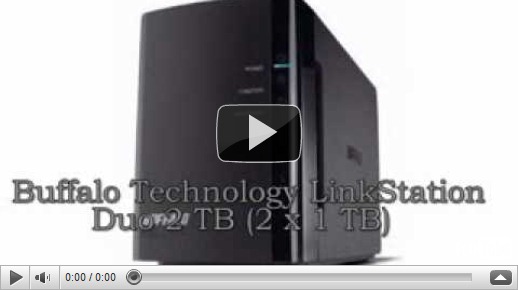
If you need more storage space, then I’d suggest what is known as a NAS drive. These are basically networked harddisks, which plug into your network, via your switch or wireless router. NAS drives tend to start in capacities of about 500mb, I actually use one myself, and the capacity I have is 2TB. My desktop computer is configured via the Windows 7 Backup and Restore Centre, to ensure my data is backed up daily at 10pm automatically.


Top Ten NAS Drives.


The importance of backing up your photographs, is down to how much you value them, if you couldn’t care less, then dont bother, but if they have vast sentimental value then you’ll not want to lose them, and try and make every possible effort to look after them.

Next week – a practical session, foliage arrangements, closeups, you name it!

Monday, 10 January 2011

Tips To Capture New Year's Eve Fireworks

Did you go to a fireworks display for New Years Eve, and when you looked at the photographs they were not what you expected, well here are some simple steps to help you next time…..or even for Bonfire Night…the same applies:

1. Get there early: Walk around the area and choose a good spot with the right vantage point.  Areas with a lot of people, water reflections, monuments or tall buildings can make a great photo.


2. Select a stable and secure surface: Snapping photos of fireworks means that you'll be shooting at lights with a dark background.  You will need a steady surface in order to capture the exact movement of the light.  Use a tripod or set your camera on a steady surface.


3. Smaller ISO and larger exposure time: Try experimenting with the different camera settings.  We recommend that you use exposure times in a range between 1/2 second to 5 seconds.  Also, a small ISO (100/200) will result in photos with better sharpness.

You can read more on the Photo Tip Section of Viewbug.com

Saturday, 8 January 2011

Happy New Year

The snow has long gone, the Christmas tree has been put away….the house looks bare….what are you to do?

Good news – Nightclasses start again the week commencing Monday 10th Jannuary!

See you there!

New Year Wishes...